n8n
From Google Doc to WordPress Draft: Building an AI Blog Automation Pipeline with n8n
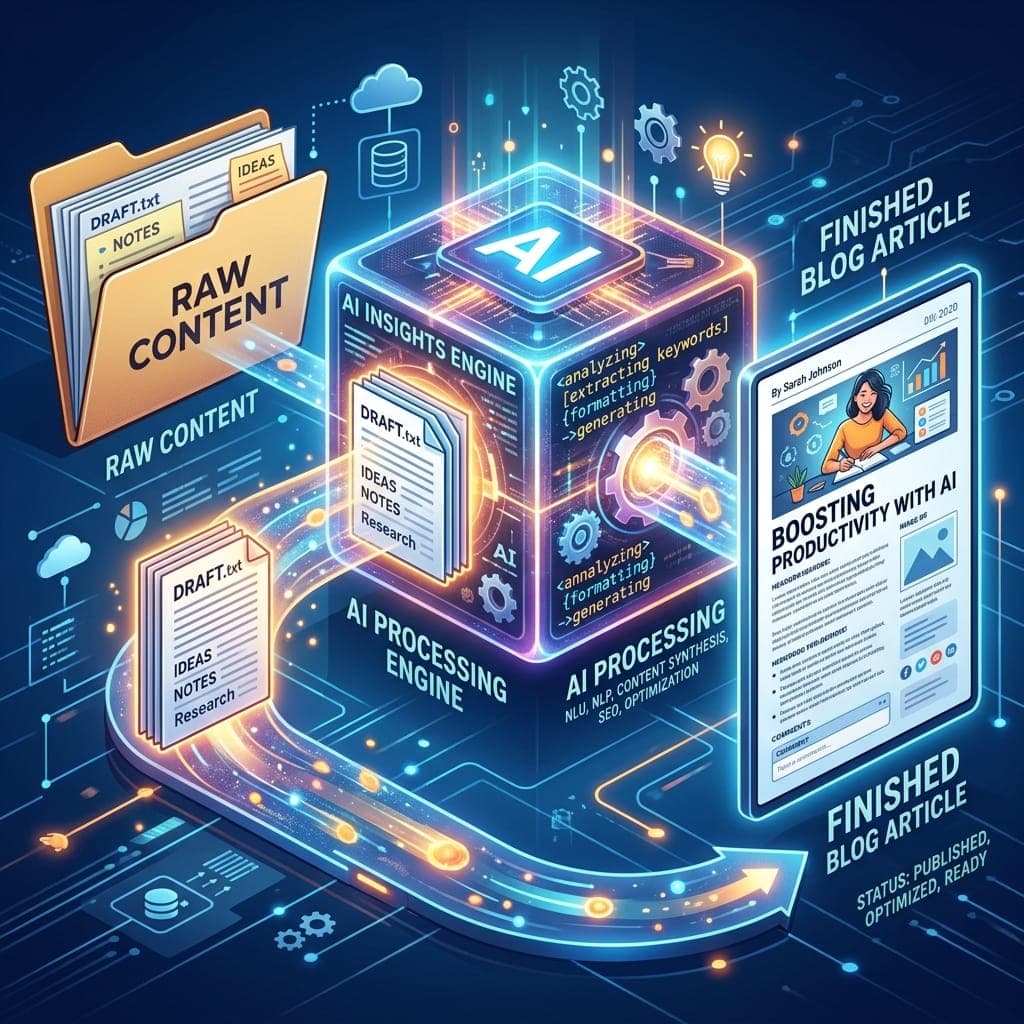
How I built an n8n and OpenAI pipeline that turns Google Docs into branded, SEO-ready WordPress drafts, with a custom plugin, duplicate protection and a human review step.
Contents
From Google Doc to WordPress Draft: Building an AI Blog Automation Pipeline with n8n
How I built an n8n and OpenAI pipeline that turns Google Docs into branded, SEO-ready WordPress drafts, with a custom plugin, duplicate protection and a human review step.
At a glance
- Client: A personal finance education website (name withheld)
- My role: Solution design, custom WordPress plugin, n8n workflow build and testing
- Stack: n8n, OpenAI GPT-4.1 mini, OpenAI gpt-image-1, Google Drive, Google Sheets, WordPress REST API, Yoast SEO, Postman
- Timeline: September 2026, delivered in three milestones
- Status: End-to-end pipeline working in testing; real-content rollout next
The problem
The client's writers draft articles in Google Docs. Getting each one onto the WordPress site was slow, manual work. Someone had to copy the text, rebuild the formatting, write an SEO title and meta description, pick categories and tags, find a featured image and remove references to other organizations.
None of these steps is hard on its own. Together they turned every post into a small project, and every manual step was a chance for something to be missed or published inconsistently.
What the client needed
- Read new content from Google Drive
- Rewrite it in the client's brand voice and writing style
- Remove or replace unwanted company and organization references, based on defined rules
- Generate a relevant featured image when one is needed
- Fill in the SEO title, meta description, categories and tags
- Save every post as a draft for manual review, never publish automatically
- Never process the same document twice
- Leave room for new requirements later
Choosing the approach
I compared four routes before writing any code.
| Option | Strength | Limitation for this project |
|---|---|---|
| Make.com | Quick setup with ready-made connectors | Deep customization becomes hard to maintain |
| AI WordPress plugins | Content generation inside WordPress | Little control over the workflow and branding rules |
| Fully custom system | Complete control | Highest cost and longest build time |
| n8n with a custom WordPress integration | Visual workflows plus custom code where needed | Some custom development required |
I chose n8n with a custom WordPress integration. It gave the control of a custom build without rebuilding an automation platform from scratch.
How I built it: three milestones
I split the work so each layer was proven before the next one depended on it.
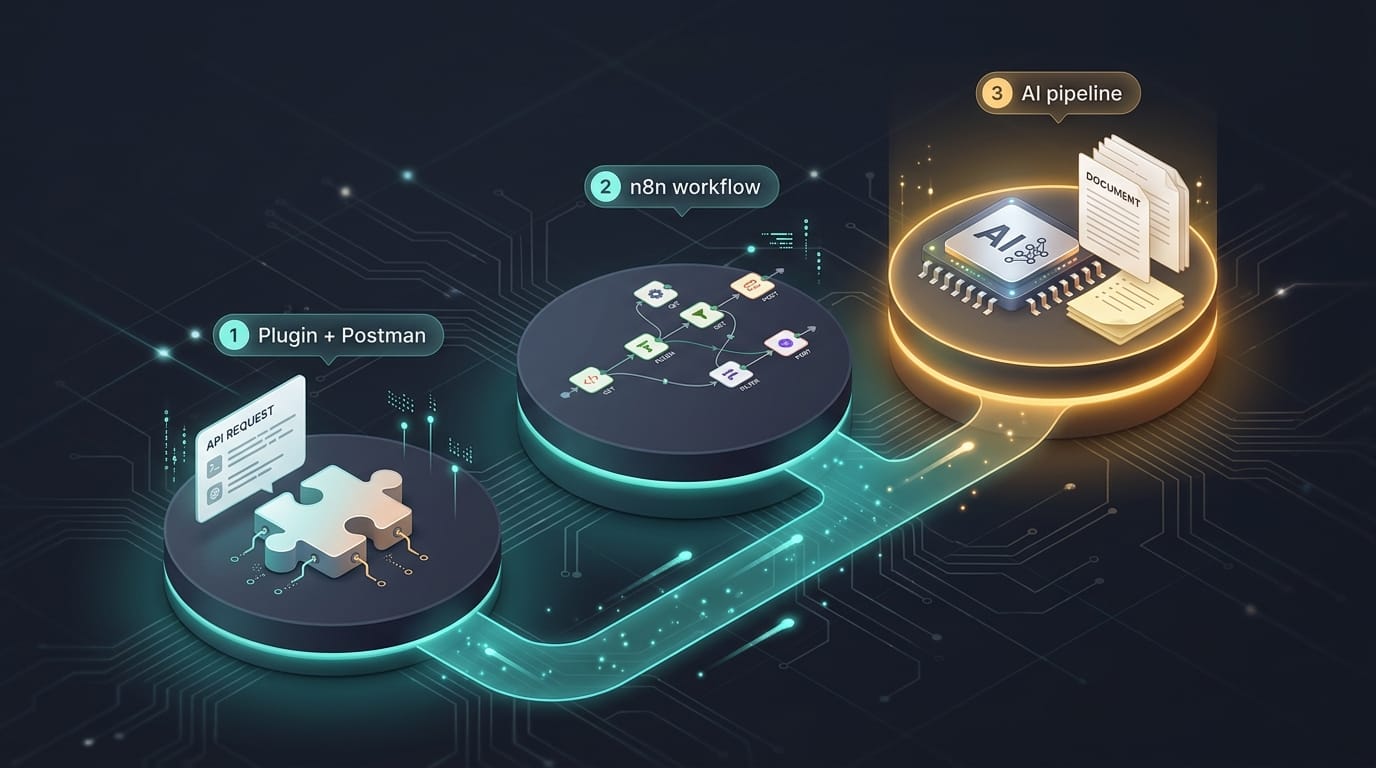
Milestone 1: A custom WordPress plugin, tested in Postman. n8n's built-in WordPress node cannot upload media, write post meta or handle custom post types, and this project needed all three. So I wrote a small plugin, Blog Automation Bridge, that exposes one REST endpoint for creating drafts. It sets Yoast SEO fields, Open Graph and Twitter data, categories, tags and custom taxonomies. I tested it in Postman with five realistic article payloads, each exercising a different code path.
Milestone 2: n8n takes over from Postman. I moved the same requests into an n8n workflow using the HTTP Request node and a WordPress API credential. Responses are routed by status code. A 201 means the draft was created; anything else goes to a failure branch that records the error without stopping the rest of the run.
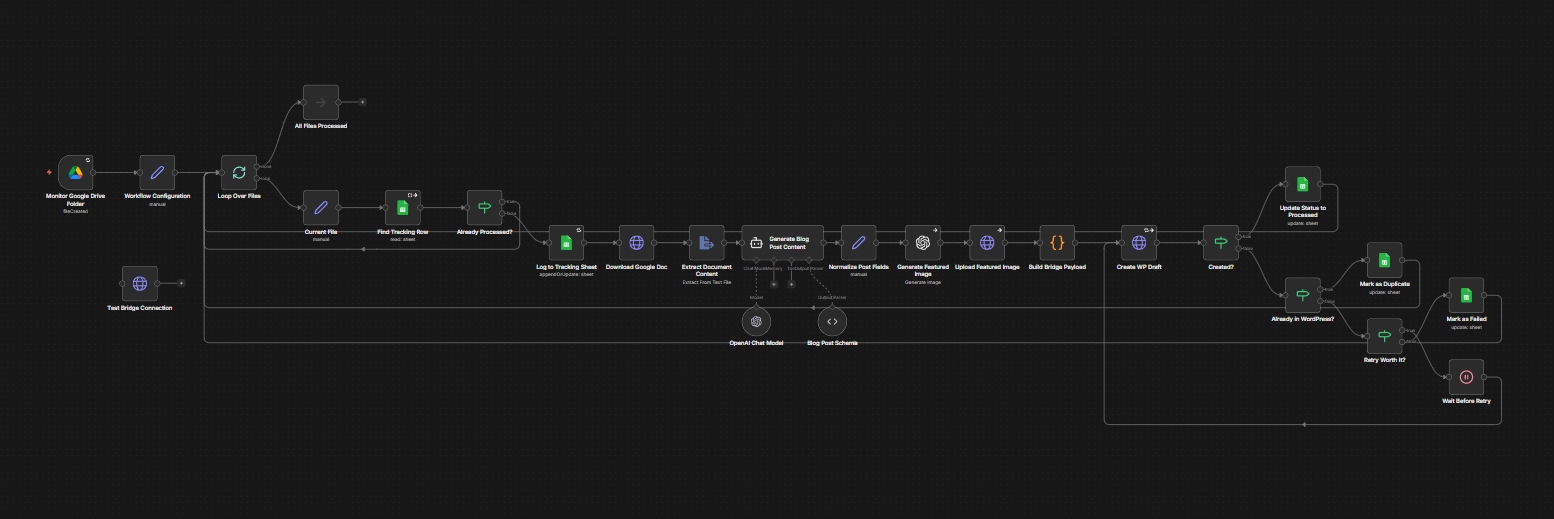
Milestone 3: The full AI pipeline. With delivery proven, I built everything upstream: the Google Drive trigger, the AI rewrite, image generation, media upload and a tracking sheet. The finished workflow has 26 nodes.
How the pipeline works
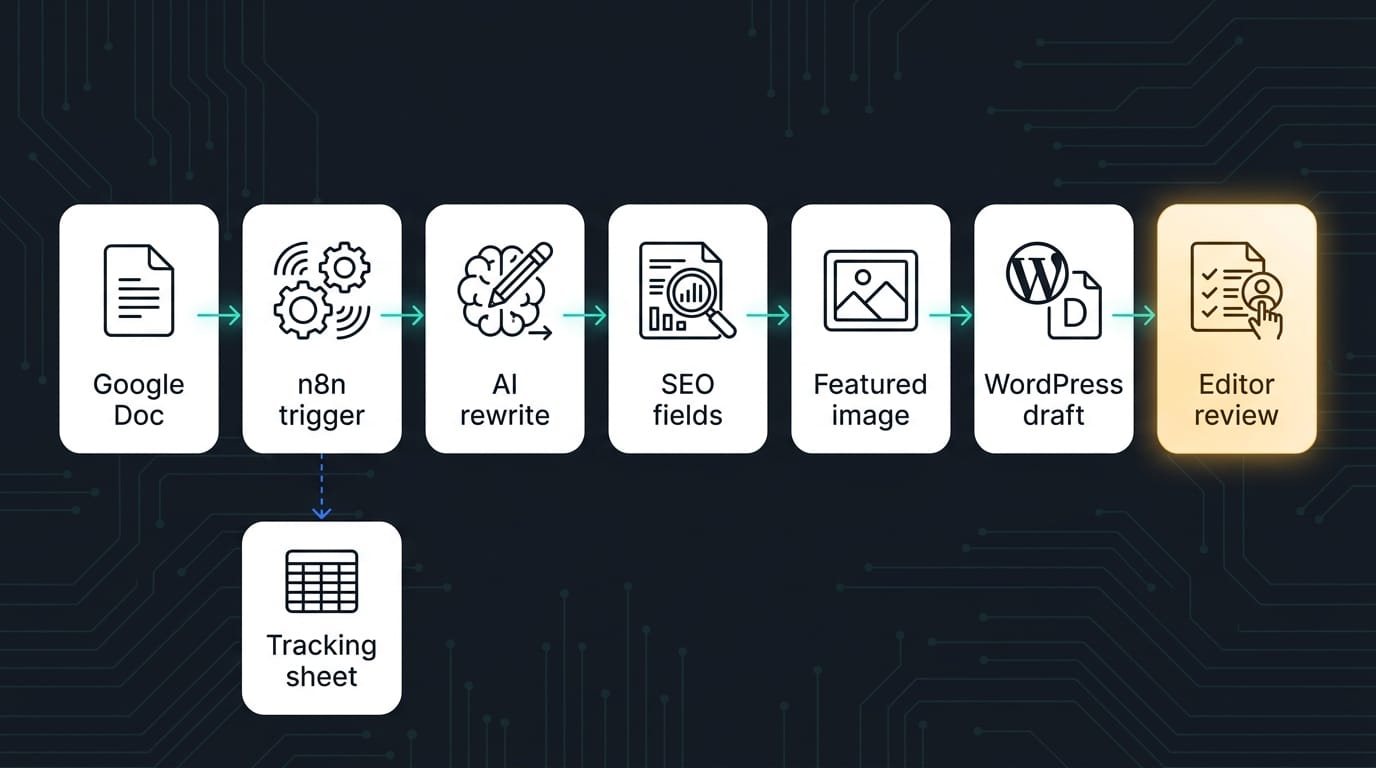
- A writer drops a Google Doc into a shared Drive folder. This is the only manual step.
- n8n detects the new file and logs it in a Google Sheet as Processing.
- An AI agent (GPT-4.1 mini) rewrites the article in the brand voice and applies the removal rules. It returns structured JSON: title, slug, HTML body, excerpt, SEO title, meta description, category, tags, an image prompt and alt text.
- gpt-image-1 creates a featured image from that prompt, with no text, logos or real people in it.
- The image is uploaded to the WordPress media library.
- The Blog Automation Bridge plugin creates the draft, attaches the image and fills in the Yoast SEO fields.
- The sheet row changes to Processed, with the post ID, a direct edit link and any warnings.
- An editor reviews the draft in WordPress and publishes when ready.
Design decisions that mattered
- Drafts only. The AI does the heavy lifting, and a person approves every post. The client stays in control of what goes live under their name.
- No duplicates, by design. Every request carries an external ID that the plugin treats as an idempotency key, so retries and re-runs never create a second draft. The tracking sheet adds a second check.
- Rules in configuration, not in the prompt. Brand rules and the list of names to remove live in one configuration step. Updating them never means editing the AI instructions.
- Length matched to the source. The AI must cover the source in proportion to its length, so long articles are not quietly summarized.
- Design kept separate from automation. The workflow creates standard WordPress posts. The look comes from either an Elementor Pro single-post template or a lightweight custom theme template, so the client can choose without touching the pipeline.
Challenges and how I solved them
| Challenge | What I did |
|---|---|
| The planned image model, DALL-E 3, was not available on the account | Switched to gpt-image-1. It returns image data rather than a link, so I added a step that uploads the file to the media library and passes its ID to the plugin |
| Drafts failed when the AI suggested a category that did not exist yet | Turned on the plugin's option to create missing categories automatically |
| The AI wrote much shorter articles than the source | Rewrote the instructions to require proportional coverage and raised the output limit |
| The Drive trigger kept timing out on the test machine | Traced it to a broken IPv6 connection, forced IPv4 lookups, relaxed the polling interval and enabled retry on failure |
| Google access had to be reconnected every 7 days | Caused by the OAuth app running in Testing mode; publishing the app is part of go-live |
Results so far
The pipeline runs end to end in testing. A document dropped into Drive becomes a complete WordPress draft with a rewritten body, SEO fields, category, tags and a featured image with alt text. Every run is logged with a post ID and an edit link, and duplicate drafts are blocked at the plugin level.
For the editorial team, publishing goes from a long checklist of manual steps to one: review the draft.
What's next
- Run the pipeline on the client's real content and brand rules
- Move n8n from the test machine to hosted infrastructure
- Add a daily cap on the number of posts created
- Add new content sources: email, and audio recordings transcribed to text
What I learned
- Build the delivery layer first. Proving the WordPress side in Postman meant every later bug was upstream, which made each one easier to isolate.
- The AI step is rarely the hardest part. Most of the effort went into the plumbing around it: authentication, media handling, missing categories and network quirks.
- Keep a human in the loop. Draft-only publishing is what makes AI-generated content safe for a client to adopt.
Tags
- n8n
- WordPress
- AI Automation
- OpenAI
- Workflow Automation
- Content Automation
- Google Drive
- Yoast SEO
- WordPress REST API
- Case Study
Written by
Fuad Hasan Emon. I build full-stack products and AI automation. See my work or start a conversation.