Full-Stack Development
Building a Headless Portfolio CMS with Next.js, Prisma, and Neon
How I turned a static portfolio into a database-driven CMS using Next.js, Prisma, Neon, authentication, Cloudinary, and a private admin dashboard.
Contents
Building a Headless Portfolio CMS with Next.js, Prisma, and Neon
A portfolio usually starts as a simple website.
You build a homepage, add a few projects, write an About section, deploy it, and move on.
That approach works until the portfolio starts growing.
More projects need to be added. Older projects need to be updated. New articles need to be published. Images need to be replaced. SEO information needs to be managed.
At that point, editing source code every time content changes becomes unnecessary friction.
That was the problem I wanted to solve with my own portfolio.
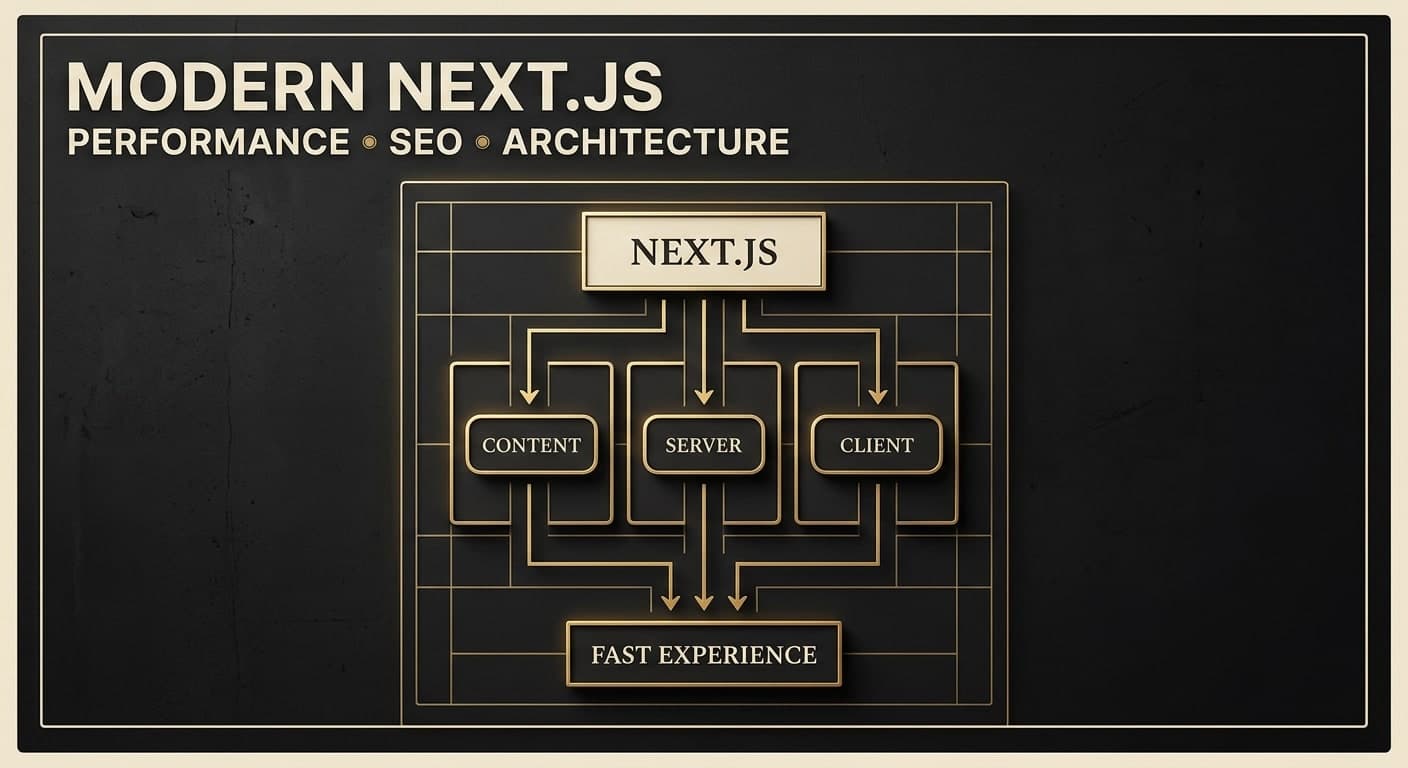
Instead of keeping project and blog content inside the frontend code, I decided to turn the portfolio into a small headless CMS-powered application using Next.js, Prisma, PostgreSQL on Neon, authentication, and Cloudinary.
The result is a portfolio where the website and the content management system are separate concerns.
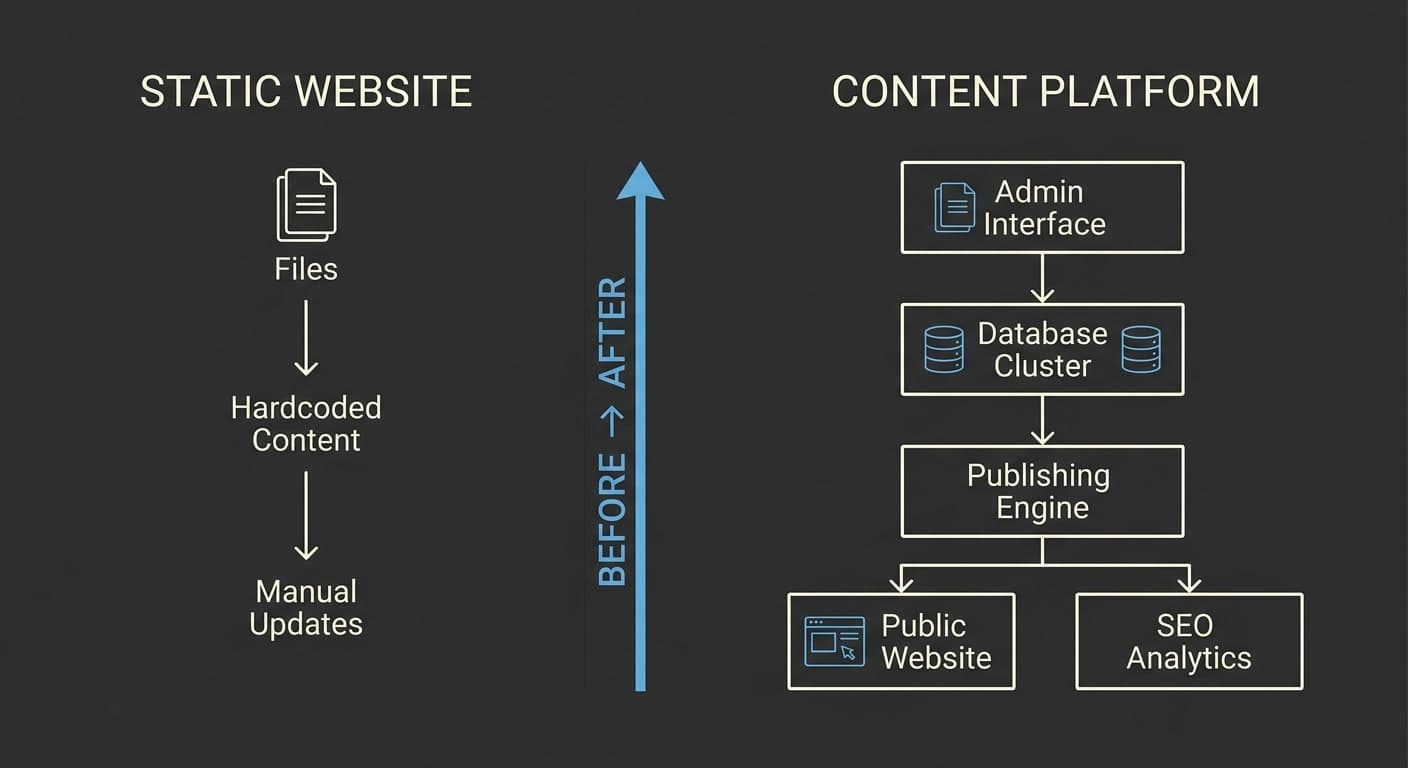
From Static Portfolio to Content Platform
The original idea behind a portfolio is straightforward:
Pages
  ↓
Components
  ↓
Hardcoded content
  ↓
Deploy
But once content starts changing frequently, the workflow becomes less convenient.
For example, adding a new project might require:
Open codebase
   ↓
Find project data
   ↓
Edit content
   ↓
Add image
   ↓
Update metadata
   ↓
Run build
   ↓
Commit changes
   ↓
Deploy
That's a lot of engineering work for what should essentially be a content operation.
I wanted the workflow to become:
Open Admin
   ↓
Create Project
   ↓
Add Content
   ↓
Upload Image
   ↓
Publish
   ↓
Done
That change became the foundation for the CMS.
What I Actually Needed
I deliberately kept the CMS focused.
I didn't need a huge enterprise content management system.
I needed something specifically designed around my portfolio.
The initial requirements were:
Projects
- Create projects
- Edit projects
- Delete projects
- Publish/unpublish projects
- Reorder projects
- Manage project details
- Manage project images
Blog
- Create articles
- Save drafts
- Publish articles
- Unpublish articles
- Edit articles
- Manage slugs
- Manage SEO metadata
- Add tags
- Add cover images
Administration
- Private admin area
- Authentication
- Dashboard
- Loading states
- CRUD feedback
- Safe environment configuration
Keeping the scope focused was important.
A CMS becomes complicated very quickly if every possible feature is added from the beginning.
The Architecture
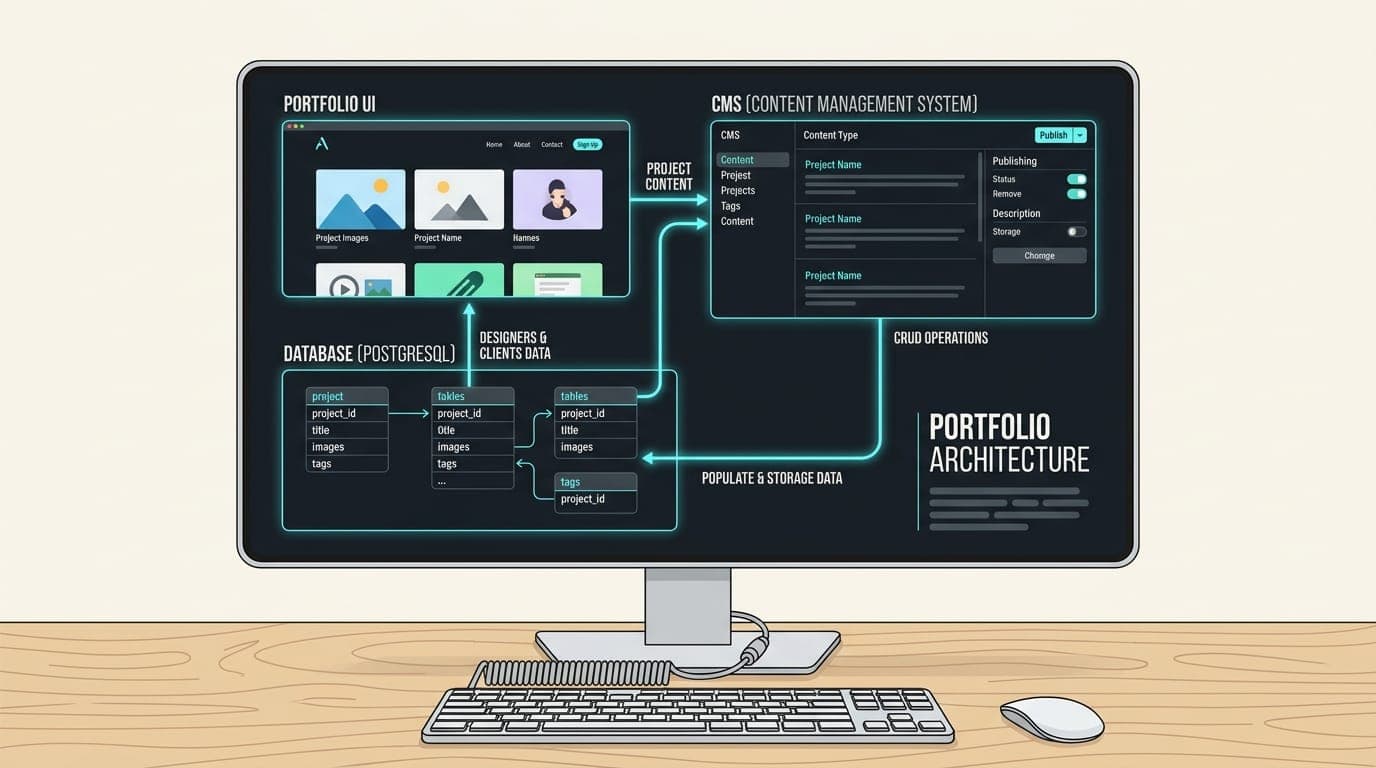
The resulting architecture is relatively simple.
                         Next.js
                            │
             ┌──────────────┴──────────────┐
             │                             │
          Public                         Admin
             │                             │
      ┌──────┴──────┐              ┌───────┴──────┐
      │             │              │              │
   Projects       Blog         Projects         Blog
      │             │              │              │
      └─────────────┴──────────────┴──────────────┘
                            │
                         Prisma
                            │
                       PostgreSQL
                            │
                           Neon
Images are handled separately through Cloudinary.
Authentication protects the admin area.
The public website only exposes published content.
This separation keeps the responsibilities clear.
Why Next.js?
Next.js was already the foundation of the portfolio, so keeping the CMS within the same application avoided unnecessary infrastructure.
The same application can handle:
- Public pages
- Dynamic project pages
- Blog pages
- Admin pages
- API operations
- SEO metadata
- Sitemap generation
- Authentication
That means I don't need to maintain a separate frontend application and CMS application just to manage a relatively small amount of content.
For this project, keeping everything together was the simpler architectural choice.
Why PostgreSQL?
Once content became dynamic, I needed a proper data store.
A relational database makes sense for this type of application because the content has clear relationships and structured fields.
For example, a project isn't simply a block of text.
It can have:
Project
├── title
├── slug
├── description
├── content
├── cover image
├── published status
├── order
├── created date
└── updated date
A blog post has its own structure:
Blog Post
├── title
├── slug
├── excerpt
├── content
├── cover image
├── published status
├── tags
├── SEO title
├── SEO description
├── published date
└── updated date
Using a database allows that structure to evolve without turning the frontend into a large collection of hardcoded objects.
Why Prisma?
Prisma sits between the application and PostgreSQL.
Instead of scattering raw database queries throughout the application, Prisma provides a structured way to work with the database.
The general relationship looks like:
Next.js
   ↓
Prisma
   ↓
PostgreSQL
This also makes database changes easier to reason about.
When I add a field to a model, the database schema and application logic can evolve together.
For a project like this, that developer experience is valuable because the CMS will likely continue changing as the portfolio grows.
Why Neon?
I used Neon for the PostgreSQL database.
The main reason was simplicity.
I wanted a managed PostgreSQL database without having to manage database infrastructure myself.
The application uses environment variables for its database configuration.
For example:
DATABASE_URL="..."
DIRECT_URL="..."
The actual values stay outside the repository.
This distinction is important because the repository can be public while the database credentials remain private.
Separating Content From Presentation
One of the biggest benefits of the CMS is separating what the content is from how the content is displayed.
For example, the database knows that a project has:
title
slug
description
image
content
order
published
The frontend decides how those fields should look.
That means I can redesign the project page without rewriting every project.
The same content can potentially be presented in different places:
Database
   │
   ├── Homepage
   │
   ├── Work page
   │
   ├── Project detail
   │
   └── Related projects
This is one of the fundamental ideas behind a headless content architecture.
Project Ordering
A portfolio isn't simply a list of projects.
The order matters.
The first project a visitor sees can influence how they understand the rest of the portfolio.
I wanted to control that order from the admin panel rather than manually changing code.
So I added drag-and-drop ordering.
The interaction looks like:
Project A
Project B
Project C
Project D

        ↓ Drag Project D upward

Project A
Project D
Project B
Project C
The new order is then persisted to the database.
This seems like a small feature, but it removes another reason to touch the source code.
Publishing and Drafts
Blog content needs another layer.
Writing an article and publishing an article aren't necessarily the same action.
I wanted to be able to create content, work on it, and publish it later.
So content has a publishing state.
Draft
  │
  │ Review
  ↓
Published
  │
  │ Edit / Unpublish
  ↓
Draft
This provides a much better workflow for maintaining technical articles.
I can write the article first, review it, check the SEO fields, verify the formatting, and then publish it.
Markdown as the Content Format
For technical articles, Markdown is particularly useful.
It allows the content to remain readable and portable while still supporting rich formatting.
For example:
## Why I Use Next.js

Next.js gives me a flexible foundation for building
modern web applications.

### A simple example

```js
const project = {
  title: "My Project"
};
The content can then be compiled and rendered by the application.

This is especially useful for developer-focused content because code examples remain natural to write.

## Image Management With Cloudinary

Images are another part of the architecture that I wanted to keep separate from the database.

Instead of storing image files inside PostgreSQL, the application uses Cloudinary for media storage.

The workflow is:

```text
Admin
  ↓
Select image
  ↓
Upload
  ↓
Cloudinary
  ↓
Image URL
  ↓
Database
The database stores the reference to the image rather than the image bytes themselves.
This keeps the database focused on structured application data while a dedicated media service handles image delivery.
Authentication
Once the admin interface can modify production content, it needs protection.
The public website should allow anyone to read published content.
The admin dashboard should only be accessible to the administrator.
Conceptually:
Visitor
   │
   ├── /
   ├── /work
   ├── /blog
   └── /blog/[slug]

Administrator
   │
   └── /admin
          │
        Login
          │
      Dashboard
Authentication is handled separately from the public content.
Sensitive values such as the authentication secret and password hash are stored in environment variables.
They are never committed to Git.
Keeping Secrets Out of Git
This is especially important when using AI-assisted development.
An AI coding agent can work with configuration files, but sensitive values should never be casually pasted into prompts or committed into source control.
My repository contains configuration such as:
DATABASE_URL=
DIRECT_URL=
AUTH_SECRET=
ADMIN_PASSWORD_HASH=
but the actual production values live in the environment.
The same principle applies to API keys and cloud service credentials.
SEO Becomes Part of the Content Workflow
Once the blog existed, I didn't want SEO to depend on manually editing code for every article.
So SEO information became part of the content model.
An article can have:
Title
Slug
Excerpt
SEO Title
Meta Description
Cover Image
Published Date
Tags
The application then uses that information to generate page metadata.
This creates a much cleaner workflow.
Instead of:
Write article
↓
Edit article code
↓
Edit metadata code
↓
Edit social metadata
I can manage the important content information from the CMS.
Dynamic Sitemap
A database-driven website also means the list of URLs changes over time.
If I publish a new article, the sitemap should eventually reflect that new URL.
So the sitemap is generated dynamically from the application's content.
Conceptually:
Database
   │
   ├── Published Projects
   │
   └── Published Articles
            │
            ↓
         Sitemap
This means I don't need to manually maintain a static list of every article URL.
Admin UX Matters Too
Building a CMS isn't only about CRUD operations.
If clicking "Publish" gives no feedback, the interface feels broken.
If reordering projects doesn't show a save state, the user doesn't know whether the change was stored.
If an image upload takes time without feedback, the interface feels unresponsive.
So I added contextual loading and progress states throughout the admin experience.
The principle is simple:
Every action that takes time should communicate its state.
For example:
Idle
 ↓
Saving...
 ↓
Saved
or:
Uploading...
 ↓
Processing...
 ↓
Complete
These small interactions make the admin panel feel much more reliable.
Keeping the CMS Focused
It would have been easy to keep adding features.
Multi-user roles.
Comments.
Newsletter management.
Analytics.
CRM integrations.
Media libraries.
Complex permissions.
But none of those were necessary for the initial goal.
The CMS exists to manage my portfolio.
That means the architecture should remain proportional to the problem.
A useful question I try to ask is:
Does this feature solve a real problem I currently have?
If the answer is no, it probably doesn't belong in the first version.
What I Learned From Building It
The biggest lesson was that a CMS doesn't need to be huge to be useful.
The important part is designing it around the actual content workflow.
For my portfolio, the workflow is:
Create
  ↓
Edit
  ↓
Review
  ↓
Publish
  ↓
Display
  ↓
Update
Everything else is secondary.
The technology makes this possible, but the workflow is what makes the system useful.
The Portfolio Became Easier to Maintain
Before the CMS, adding content meant modifying code.
After the CMS, content and application code became separate concerns.
That gives me a much better development workflow.
I can:
- Redesign the website without rewriting project data
- Add projects without touching components
- Publish articles without modifying routes
- Reorder projects through the admin panel
- Manage images through Cloudinary
- Update SEO information from the CMS
The result is a portfolio that is easier to operate and easier to evolve.
Final Thoughts
Building the CMS changed how I think about personal websites.
A portfolio doesn't have to remain a static collection of pages.
It can become a small, focused product.
For this project, the stack is relatively straightforward:
Next.js
   ↓
Prisma
   ↓
PostgreSQL / Neon
   ↓
Cloudinary
Authentication protects the administration layer, while the public application consumes published content.
The interesting part isn't any individual technology.
It's how the pieces work together to solve a simple problem:
I want to spend my time creating and improving content, not editing source code every time something changes.
That is what the CMS was designed to accomplish.
Tags
- Next.js
- Prisma
- Neon
- CMS
- Full Stack
- PostgreSQL
Written by
Fuad Hasan Emon. I build full-stack products and AI automation. See my work or start a conversation.